 Vectode
Vector barcode & 2D code generator for Adobe Illustrator
Generate EAN, UPC, Code 128, GS1-128, ITF-14, Data Matrix, GS1 DataMatrix and Aztec codes as true vector art — scalable, print-ready, no quality loss. As a standalone app and a panel right inside Adobe Illustrator.
Full version, no payment for the trial · 14-day money-back guarantee · free updates


Built for production work
Everything you need to drop a scannable, print-perfect code into your artwork.
True vector output
Codes are placed as editable vector paths — scale to any size, no rasterization, print-ready every time.
12 symbologies
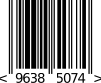
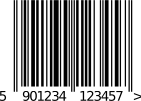
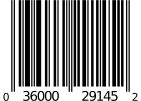
EAN-13/8 and UPC-A/E (with EAN-2/5 add-ons), Code 128, GS1-128, ITF-14, Data Matrix, GS1 DataMatrix and Aztec — plus pharma (PPN, SÚKL), with proper check digits and quiet zones.
App + Illustrator panel
Work standalone in the desktop app, or generate straight onto your artboard from the Vectode panel in Illustrator. One license covers both.
One tool, every common code
Retail, logistics, pharma and beyond — Vectode covers the symbologies real packaging needs.
Simple, one-time price
Try it free for 14 days. Then buy once and use it forever: Illustrator panel and desktop app included.
- Everything in Single
- 1 device
- No payment, just your email
Then $19 lifetime
- Illustrator panel (2020+) + desktop app
- All 12 symbologies, free updates
- 1 user, 2 devices
- Email support
One-time payment
- Illustrator panel (2020+) + desktop app
- All 12 symbologies, free updates
- 5 users, 1 device each
- Email support
One-time payment
- Illustrator panel (2020+) + desktop app
- All 12 symbologies, free updates
- 10 users, 1 device each
- Email support
One-time payment
14-day money-back guarantee on every licence · VAT handled at checkout · How Vectode compares
How Vectode compares
An honest side-by-side with other ways to make barcodes for Illustrator. Other tools offer more symbologies; Vectode focuses on getting retail and GS1 codes right for print.
| Vectode | Softmatic Barcode Extension | Next Barcode Suite | Free online generators | |
|---|---|---|---|---|
| Price | $19 lifetime · teams from $69 | $29.95 / year on Exchange | $39 one-time | Free |
| Inside Illustrator | Yes, panel | Yes | Yes | No, export & place |
| GS1 sizes (SC0–SC9) | Yes | Conformity stated | Not stated | Rarely |
| Bar width reduction | Yes | Yes | Not stated | Rarely |
| Print colour | 100 % K + white backing | Not stated | Not stated | Varies |
| Works offline | Yes | Yes | Not stated | No |
| Free trial | 14 days | Not stated | Not stated | — |
Published information as of 13 October 2026. Full comparison, sources and where the others are stronger →
Also from Vectode: QR codes
Vectode QR — QR Code, GS1 QR Code and GS1 Digital Link as true vector art, in a dedicated Illustrator panel. GTIN, batch, serial & expiry identifiers, price AIs, live GS1 size check. Learn more or get it on Adobe Exchange.
Questions
How do I generate an EAN-13 barcode in Adobe Illustrator?
Open the Vectode panel (Window ▸ Extensions ▸ Vectode), choose EAN-13, type your 12–13 digit number and click Insert. The barcode is placed on your artboard as editable vector paths, with the correct check digit, quiet zones and OCR-B text.
Which barcodes and 2D codes does Vectode support?
EAN-13, EAN-8, UPC-A, UPC-E (with EAN-2/EAN-5 add-ons, e.g. the ISBN price code), Code 128, GS1-128, ITF-14, Data Matrix, GS1 DataMatrix and Aztec, plus pharmaceutical codes PPN (IFA) and SÚKL / EU FMD — all as true vector art.
Can I create GS1 DataMatrix codes for pharmaceutical packaging?
Yes. Vectode generates GS1 DataMatrix and dedicated pharma codes (PPN and SÚKL / EU FMD) with correct FNC1 encoding and check digits — ready for serialized medicine packaging.
Does Vectode work on Windows?
Yes — there are installers for both macOS and Windows, each installing the app and the Illustrator panel together. The panel needs Illustrator 2020 or newer.
Does it run on Intel Macs and Apple Silicon?
Yes — the macOS app is a universal build (version 1.4.0 and newer), so it runs natively on both Intel and Apple Silicon Macs. If you bought earlier and have an Intel Mac, simply re-download the installer from the link in your order confirmation email.
How do I install it? (security warning)
Vectode is a small independent product, so your system shows a warning the first time you open the installer. It is safe to continue — here is exactly how:
macOS (Sequoia and newer): the warning says macOS "could not verify" the file and offers no way to continue. Click Done (not "Move to Bin"), then open System Settings → Privacy & Security, scroll down to Security, and next to the blocked file click Open Anyway and confirm with your password. The installer then runs normally. On older macOS versions you can instead right-click the installer → Open → Open.
Windows: SmartScreen shows "Windows protected your PC" — click More info, then Run anyway.
The Illustrator panel itself installs without any warning. If you only need the panel, you can also get it from the Adobe Exchange marketplace, where it installs straight through the Creative Cloud app.
Is there a free trial?
No trial, but every purchase is covered by a 14-day money-back guarantee — if Vectode isn't for you, email us at info@vectode.com within 14 days for a full refund.
Does one license cover both the app and the panel?
Yes. A single license activates the standalone desktop app and the Adobe Illustrator panel, on up to two computers at the same time. You can deactivate a computer at any time to free up a seat.
The Illustrator panel opens empty — what now?
Quit Illustrator completely (Cmd+Q on macOS, File → Exit on Windows) and start it again. Illustrator loads extensions only at startup, and after a fresh install — or after plugging in or removing an external display — the panel can come up blank until the next launch. One restart always fixes it; your settings and license are not affected.
Are the codes really vector?
Yes — codes are generated as true vector paths, so they stay crisp at any size and are ready for professional print.
What do I need to run it?
The desktop app runs on macOS (Intel and Apple Silicon, universal build) and Windows. The panel needs Adobe Illustrator 2020 or newer (macOS or Windows).
Can I also get just the Illustrator panel?
Yes — the panel is also available on the Adobe Marketplace / Exchange if you only need the plugin.